
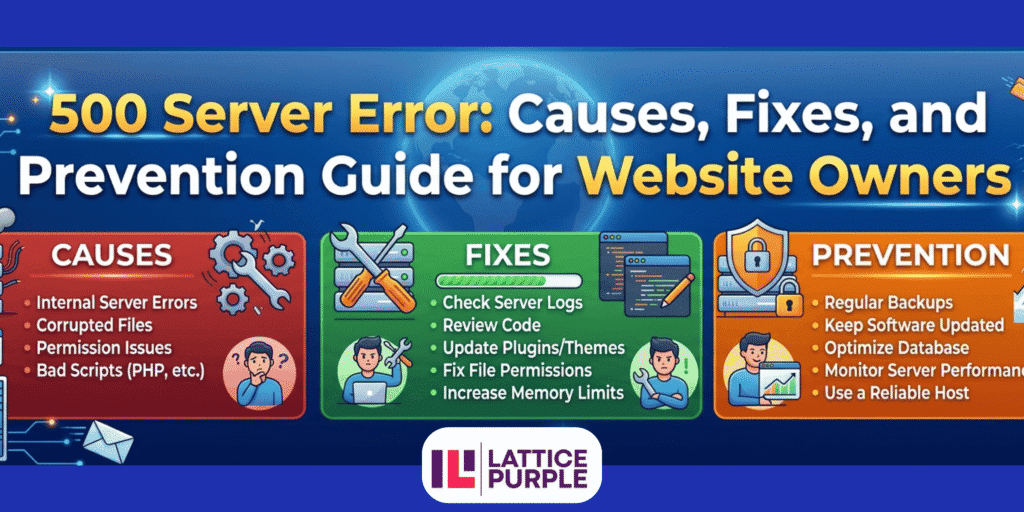
A 500 Server Error (also called 500 Internal Server Error) is one of the most common technical problems website owners encounter. When this error appears, it means the server hosting the website has encountered an unexpected condition that prevents it from fulfilling the request.
For users, it usually appears as a blank error page. For website owners, it can cause traffic loss, SEO issues, and a poor user experience.
In this guide, we will explain what a 500 Server Error is, why it happens, how to fix it, and how you can prevent it from affecting your website.
What Is a 500 Server Error?
A 500 Server Error is an HTTP status code indicating that something has gone wrong on the website’s server, but the server cannot provide a more specific explanation.
Unlike errors such as 404 (Page Not Found), a 500 Internal Server Error usually occurs due to issues within the server configuration, scripts, or website software.
Key Characteristics of a 500 Error
- It is a server-side error
- It prevents the page from loading
- It does not provide specific details about the problem
- It may affect the entire website or specific pages
Read Also – Exploring the Future of Generative AI
Understanding HTTP Status Codes
To understand the 500 Server Error, it is important to know how HTTP status codes work.
HTTP status codes are responses given by servers to browser requests.
Types of HTTP Status Codes
- 1xx – Informational Responses
- 2xx – Successful Requests
- 3xx – Redirection Messages
- 4xx – Client Errors
- 5xx – Server Errors
The 500 Server Error belongs to the 5xx category, meaning the problem originates from the server.
How Many Types of 500 Server Errors Are There?
Although the standard 500 Internal Server Error is the most common, there are several variations within the 500–599 HTTP status code family that represent different server-side problems.
Here are some common types of 500 server errors:
1. 500 Internal Server Error
This is the most generic server error. It indicates that the server encountered an unexpected condition but cannot provide specific details about the problem.
2. 501 Not Implemented
This error occurs when the server does not support the functionality required to fulfill the request.
3. 502 Bad Gateway
A 502 error occurs when one server acting as a gateway receives an invalid response from another server.
4. 503 Service Unavailable
This error indicates that the server is temporarily unable to handle the request due to maintenance or overload.
5. 504 Gateway Timeout
A 504 error happens when a gateway or proxy server does not receive a timely response from the upstream server.
6. 505 HTTP Version Not Supported
This error appears when the server does not support the HTTP protocol version used in the request.
7. 506 Variant Also Negotiates
This occurs due to incorrect server configuration related to content negotiation.
8. 507 Insufficient Storage
This error means the server does not have enough storage to complete the request.
9. 508 Loop Detected
The server detected an infinite loop while processing the request.
10. 510 Not Extended
This error indicates that additional request extensions are required for the server to process the request.
11. 511 Network Authentication Required
This error occurs when the client needs to authenticate to gain network access.
These errors are collectively part of the 5xx server error category, which represents server-side failures.
Common Causes of a 500 Server Error
Several factors can trigger a 500 Internal Server Error. Identifying the cause is the first step toward fixing it.
1. Corrupted .htaccess File
The .htaccess file controls server configuration settings. If this file becomes corrupted or contains incorrect commands, it may trigger a 500 Server Error.
2. Plugin or Extension Conflicts
Websites that rely on plugins (especially WordPress sites) may experience conflicts between plugins or extensions.
These conflicts can cause server processing failures.
3. Theme or Template Errors
Improper coding in themes or templates can cause server issues, leading to the 500 Internal Server Error.
4. PHP Memory Limit Exhaustion
When a script consumes more memory than the server allows, the server may fail to execute it and return a 500 error.
5. Incorrect File Permissions
Files and folders require specific permissions to operate properly. Incorrect permissions may prevent the server from accessing essential files.
6. Server Misconfiguration
Improper server configuration or settings can also lead to 500 Server Errors.
7. Timeout Errors
Heavy scripts or large processes may take too long to execute, causing the server to terminate the request.
8. Database Connection Problems
If a website cannot connect to its database, the server may generate a 500 Internal Server Error.
Read Also – Generative Engine Optimization (GEO): The Future of AI-Driven Content Discovery
Common Variations of 500 Server Error Messages
The 500 Server Error may appear in different formats depending on the server and browser.
Examples include:
- 500 Internal Server Error
- HTTP Error 500
- 500 – That’s an Error
- Temporary Error (500)
- HTTP 500 Internal Server Error
Although the message varies, the root issue is still a server-side problem.
How a 500 Server Error Affects SEO
Search engines expect websites to be accessible and functional. Frequent 500 Server Errors can negatively affect your SEO.
SEO Impact Includes:
1. Crawling Issues – Search engines cannot crawl pages that return a 500 error.
2. Ranking Loss – Persistent server errors can reduce search rankings.
3. Traffic Drop – If pages are unavailable, organic traffic may decline.
4. Higher Bounce Rate – Visitors who encounter error pages leave quickly.
How Users Experience a 500 Server Error
From a visitor’s perspective, the 500 Internal Server Error is frustrating.
Users may experience:
- A blank error page
- Incomplete page loading
- Generic error messages
- Broken website functionality
Frequent errors can damage user trust and website credibility.
How to Diagnose a 500 Server Error
Diagnosing the issue requires a systematic approach.
1. Check Server Error Logs – Server logs often contain detailed information about what caused the error.
2. Review Website Code – Recent code updates may introduce errors that cause server failures.
3. Test Website Features – Identify which page or function triggers the error.
4. Check Recent Changes – Updates to plugins, themes, or scripts may be responsible.
Step-by-Step Guide to Fix 500 Server Error
Here are some effective solutions to fix a 500 Server Error.
1. Refresh the Page
Sometimes the error is temporary and resolves after refreshing the page.
2. Clear Browser Cache
Browser caching issues may occasionally trigger loading problems.
3. Fix the .htaccess File
Rename the existing .htaccess file and create a new one.
4. Disable Plugins
Deactivate plugins to identify potential conflicts.
5. Increase PHP Memory Limit
Increasing memory limits can resolve script execution problems.
6. Correct File Permissions
Standard permissions usually include:
- Folders: 755
- Files: 644
7. Reupload Core Files
Corrupted core files may cause server errors.
8. Contact Hosting Support
If the problem persists, your hosting provider can investigate server-level issues.
Fixing 500 Server Error in WordPress
WordPress websites frequently experience 500 Server Errors due to plugins or themes.
Steps to Fix WordPress 500 Error
Rename the .htaccess file – Generate a new file through WordPress settings.
Disable all plugins – Reactivate them one by one to identify the problematic plugin.
Switch to a default theme – Themes may contain incompatible code.
Reinstall WordPress core files – Replace corrupted files with fresh ones.
Troubleshooting on Different Hosting Environments
The fix may vary depending on hosting type.
Shared Hosting – Limited resources can sometimes cause server errors.
VPS Hosting – Configuration issues or resource limits may trigger errors.
Dedicated Servers – Improper server management may lead to configuration failures.
Cloud Hosting – Scaling issues or server misconfigurations can also cause errors.
Tools to Monitor Server Errors
Monitoring tools help detect issues early.
Useful tools include:
- Website uptime monitoring tools
- Server log analyzers
- SEO crawling tools
- Performance monitoring platforms
Regular monitoring ensures problems are resolved quickly.
Best Practices to Prevent 500 Server Errors
Preventing errors is better than fixing them.
Follow These Best Practices
- Perform regular website maintenance
- Update plugins and software frequently
- Choose reliable hosting providers
- Optimize scripts and code
- Maintain regular backups
Security Issues That Can Cause 500 Errors
Security threats can also trigger server failures.
Common Security Causes
Malware infections – Malicious scripts can break server operations.
DDoS attacks – Excessive traffic may overwhelm the server.
Unauthorized file changes – Hackers may modify important files.
Regular security scans help prevent these issues.
When to Contact Your Hosting Provider
Sometimes the problem is beyond your control. Contact your hosting provider if:
- The server configuration is faulty
- The server is overloaded
- There are infrastructure issues
Provide details such as:
- Error message
- Affected pages
- Time of occurrence
Tips to Improve Website Stability
To maintain a stable website and avoid 500 Server Errors, consider these tips:
- Use high-quality themes and plugins
- Optimize website performance
- Implement a CDN
- Reduce heavy scripts
- Monitor server performance regularly
Read Also – How to Effectively Lower Your Spam Score in 5 Easy Steps
Conclusion
A 500 Server Error is a server-side problem that prevents websites from loading properly. Although it can appear complicated, the issue is usually caused by configuration errors, plugin conflicts, or server limitations.
By diagnosing the problem correctly and following proper troubleshooting steps, website owners can quickly resolve the issue and restore normal website functionality.
Regular maintenance, monitoring tools, and secure server practices can also help prevent 500 Internal Server Errors from occurring in the future.
Frequently Asked Questions (FAQs)
1. What does a 500 Server Error mean?
It indicates that the server encountered an unexpected condition and could not complete the request.
2. Why does a 500 Internal Server Error occur?
It can be caused by server misconfiguration, corrupted files, plugin conflicts, or resource limitations.
3. How do I fix a 500 Server Error quickly?
Check server logs, disable plugins, fix the .htaccess file, and verify file permissions.
4. Is a 500 error caused by the browser?
No. A 500 Server Error is always caused by the server.
5. Can a 500 Server Error affect SEO?
Yes. Frequent server errors can prevent search engines from crawling your site and may impact rankings.
6. How can I check server logs?
Server logs can be accessed through your hosting control panel or server dashboard.
7. What is the difference between a 404 and a 500 error?
A 404 error means the page is not found, while a 500 error indicates a server malfunction.
8. Can WordPress plugins cause a 500 error?
Yes. Incompatible or poorly coded plugins can trigger server errors.
9. Is hosting responsible for 500 errors?
Sometimes. Server misconfiguration or resource limitations may cause the error.
10. How can I prevent 500 Internal Server Errors?
Regular maintenance, monitoring, secure coding, and reliable hosting can prevent most server errors.