
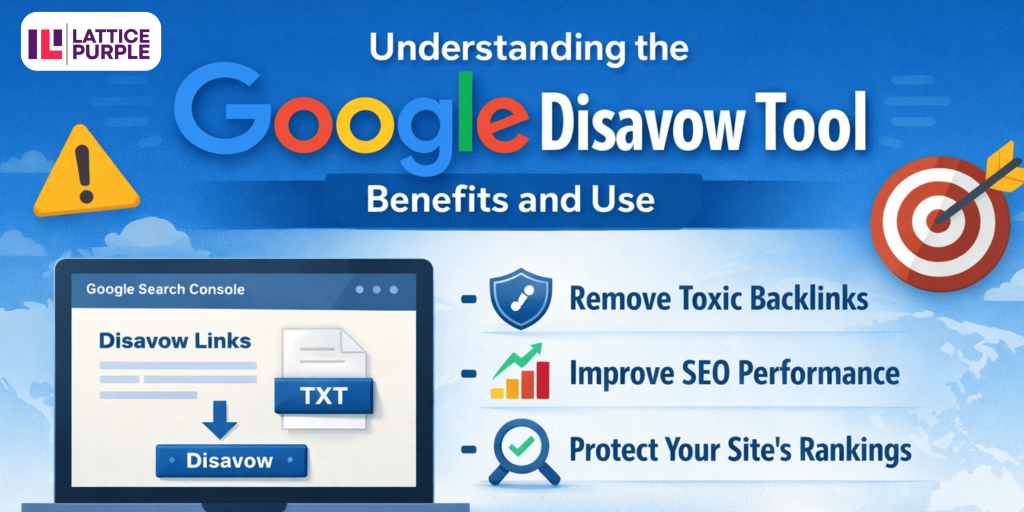
One tool that often comes up in discussions about managing backlinks is the Google Disavow Tool. In the world of search engine optimization (SEO), understanding how to manage your website’s spam backlinks is crucial for maintaining a healthy online presence.
As the digital landscape evolves, so do the strategies for ensuring your site remains competitive in search engine rankings, especially when collaborating with the best SEO service in India to maintain a clean and authoritative backlink profile. The Google Disavow Tool can be a lifesaver for webmasters dealing with unwanted backlinks that could potentially harm their website’s search rankings. But what exactly is the Google Disavow Tool, and how can you use it effectively? Let’s dive into the details and explore how this tool fits into the broader context of SEO.
Why You Might Need to Disavow Links
Backlinks are a key component of SEO because they serve as a vote of confidence from one site to another. However, not all backlinks are created equal. Sometimes, your website might attract backlinks from sources that are less than desirable. These could include:
- Spammy websites: Sites that are known for distributing spam or engaging in unethical SEO practices.
- Link farms: Networks of websites created solely for the purpose of link building, which Google penalizes.
- Malicious sites: Websites that could potentially harm your site’s reputation.
When your website is linked to these types of sites, it can lead to penalties from Google, which can severely impact your search rankings. This is where the Google Disavow Tool comes into play. It’s important to recognize the signs of harmful backlinks before they cause damage. Regularly auditing your backlink profile can help you identify and address these links promptly.
In addition to the types of sites listed above, you might also encounter backlinks from sites that have been compromised by hackers, resulting in unintended spammy links. Furthermore, competitors might engage in negative SEO tactics, deliberately pointing low-quality backlinks to your site in an attempt to harm your rankings. Identifying these potentially harmful links and taking action with the Disavow Tool can prevent long-term damage to your site’s authority. It’s essential to stay vigilant and proactive in managing your backlinks to maintain a robust and healthy SEO strategy.
How Does the Google Disavow Tool Work?
Using the Google Disavow Tool is relatively straightforward, but it does require some caution. Here’s a step-by-step guide on how to use it:
Step 1: Identify Harmful Backlinks
Before using the Disavow Tool, you need to identify which backlinks are harmful. This involves conducting a thorough backlink analysis. There are several tools available, such as Google Search Console, Ahrefs, and SEMrush, that can help you analyze your backlink profile and identify links that might be hurting your site. It’s crucial to differentiate between harmful and harmless links to avoid mistakenly disavowing links that could benefit your SEO efforts.
When identifying harmful backlinks, consider factors such as the domain authority of the linking site, the relevance of the content, and the anchor text used. Backlinks from sites with low domain authority, irrelevant content, or suspicious anchor text patterns should be scrutinized. It’s also wise to check for any sudden spikes in backlink acquisition, as this could indicate a negative SEO attack. By carefully evaluating these aspects, you can compile a list of links that genuinely need to be disavowed.
Step 2: Attempt to Remove Links Manually
Google recommends trying to remove links manually before resorting to the Disavow Tool. This means reaching out to the webmasters of the sites in question and requesting them to remove the links. While this can be time-consuming, it’s worth the effort, as it shows Google that you’re making an effort to clean up your backlink profile. Establishing a dialogue with webmasters can sometimes lead to the removal of links without further action.
When reaching out to webmasters, be polite and concise in your communication. Provide clear information about the links you wish to have removed and explain why you are making this request. It’s important to document your outreach efforts, as this can serve as evidence to Google that you’ve attempted to resolve the issue manually. In cases where webmasters are unresponsive or uncooperative, the Disavow Tool becomes a necessary next step.
Step 3: Create a Disavow File
If you’re unable to manually remove the harmful links, the next step is to create a disavow file. This is a simple text file (.txt) that lists all the links or domains you want Google to ignore. The format is quite specific, so it’s important to follow Google’s guidelines when creating this file. Each line should contain only one URL or domain, and comments can be added by starting a line with a “#”.
Creating a disavow file requires attention to detail and precision. Ensure that you include all the harmful links identified in your analysis, and double-check for any errors that could affect the file’s functionality. It’s also helpful to keep a backup of the disavow file for future reference or adjustments. Remember, this file is a crucial component in communicating with Google, so accuracy is essential.
Step 4: Submit Your Disavow File to Google
Once your disavow file is ready, you can submit it to Google via the Disavow Tool in Google Search Console. Keep in mind that changes won’t take effect immediately, as it can take some time for Google to process the disavowal and recrawl your site. Patience is key, as the impact of disavowing links might not be immediately visible in your search rankings.
After submission, continue monitoring your backlink profile and search rankings to observe any changes. It’s also advisable to periodically review your disavow file to ensure it remains accurate and up-to-date. Adjustments may be necessary if new harmful links are discovered, or if previously disavowed links no longer pose a threat. Maintaining vigilance in this process helps safeguard your site’s SEO performance over the long term.
Best Practices for Using the Disavow Tool
Using the Google Disavow Tool is a powerful way to protect your site’s SEO, but it’s important to use it wisely. Here are some best practices to keep in mind:
Use the Tool Sparingly –
The Disavow Tool should be used as a last resort. It’s designed for cases where you have a large number of spammy, artificial, or low-quality links pointing to your site, and you’ve been unable to remove them through other means. Using it unnecessarily can lead to the loss of valuable backlinks. Overuse can inadvertently weaken your site’s authority by dismissing links that contribute positively to your SEO efforts.
It’s important to assess the overall impact of your backlink profile before opting to use the Disavow Tool. Consider whether the negative effects of certain links outweigh the benefits of your existing high-quality backlinks. If the majority of your backlinks are from reputable sources, disavowing a few questionable ones might not be necessary. By exercising restraint and careful judgment, you can maintain a balanced approach to managing your backlink profile.
Keep Your Disavow File Updated –
As your site grows and evolves, so will your backlink profile. It’s important to regularly review and update your disavow file to ensure it’s still relevant and effective. Ignoring changes in your backlink profile could result in outdated disavowals, which might lead to unresolved issues or the unnecessary disavowal of new, beneficial links.
Regularly scheduled audits of your backlink profile can help identify any changes that necessitate updates to your disavow file. Additionally, staying informed about changes in Google’s algorithms and SEO best practices can guide your approach to maintaining an effective disavow file. An updated file ensures that your efforts to manage harmful backlinks remain aligned with your site’s current SEO goals.
Monitor Your Backlink Profile Regularly –
Regularly monitoring your backlink profile is key to maintaining a healthy SEO strategy. Use tools like Google Search Console to keep track of new backlinks and address any issues as they arise. A proactive approach to monitoring helps you quickly identify and respond to negative changes in your backlink landscape.
In addition to using automated tools, consider conducting manual checks to gain a more nuanced understanding of your backlink profile. This hands-on approach allows you to spot patterns or anomalies that might be missed by automated systems. By consistently monitoring and analyzing your backlinks, you can ensure your SEO strategy remains robust and adaptable to changes in the digital landscape.
Read Related – The Future of Search: AI-Powered SEO Automation & Optimization
Common Misconceptions About the Google Disavow Tool
There are several misconceptions about the Google Disavow Tool that can lead to its misuse. Here are a few to be aware of:
The tool is not a magic fix –
Disavowing links won’t automatically improve your rankings. It’s a protective measure rather than a proactive one. While it helps safeguard your site from harmful backlinks, it doesn’t substitute for a comprehensive SEO strategy that includes quality content, site optimization, and regular performance analysis.
Not all negative SEO is resolved by disavowing –
If you’re facing negative SEO, simply disavowing links might not be enough. It’s important to have a comprehensive strategy to address these issues. This can include strengthening your site’s overall SEO health, improving site security to prevent further attacks, and engaging in positive link-building activities to counteract negative effects.
The tool is not for every site –
Not every site needs to use the Disavow Tool. It’s primarily for sites with a significant number of problematic backlinks. Smaller sites or those with primarily high-quality backlinks might not benefit from disavowal and could risk losing valuable link equity by using the tool unnecessarily.
Understanding these misconceptions ensures that the Disavow Tool is used effectively and appropriately. It’s essential to recognize the tool’s limitations and integrate it into a broader SEO strategy that prioritizes both offense and defense in managing your site’s online presence.
Conclusion
The Google Disavow Tool is a vital part of any SEO toolkit, especially for Google penalty recovery, but it’s important to understand when and how to use it effectively. By carefully managing your backlink profile and using the disavow tool as needed, you can protect your site from harmful links, support recovery from potential penalties, and maintain a strong online presence. Remember, SEO is a long-term game, and keeping your backlink profile clean is just one piece of the puzzle in achieving lasting success.
FAQs –
Q: What is the Google Disavow Tool and how does it work?
The Google Disavow Tool is a feature in Google Search Console that allows website owners to tell Google to ignore specific low-quality, spammy, or toxic backlinks when assessing their site’s ranking. It helps protect your website from harmful links that may negatively impact SEO performance.
Q: When should you use the Google Disavow Tool?
You should use the Google Disavow Tool only when your website has a significant number of unnatural, spammy, or paid backlinks that you cannot remove manually. It is commonly used after receiving a manual action or experiencing a sudden drop in rankings due to poor backlink quality.
Q: Does disavowing backlinks improve Google rankings?
Disavowing backlinks does not directly boost rankings, but it helps prevent ranking penalties caused by toxic or unnatural links. By removing the negative impact of harmful backlinks, your site can regain trust with Google, leading to improved SEO performance over time.
Q: How do you create and upload a disavow file in Google Search Console?
To create a disavow file, list the harmful URLs or domains in a .txt file following Google’s formatting guidelines. Once prepared, upload the file through the Google Disavow Tool in Search Console under the correct property. Google will then process the request during its next crawl and indexing cycle.
Q: Is the Google Disavow Tool still relevant in 2026?
Yes, the Google Disavow Tool is still relevant in 2026, especially for websites affected by manual penalties or aggressive negative SEO attacks. While Google’s algorithms can ignore many spam links automatically, the tool remains useful for managing severe backlink issues and maintaining a clean link profile.